Lighting, background, and expression: improve the shot before cropping
Prepared by Photos7 · Viralink LLC
Reviewed: October 19, 2026 · 6 min read
A crop tool selects what belongs in the frame. The quality of the shot comes first. Before compressing an unclear image or trying to conceal a defect, inspect the light, background, and pose in the original. You can do this review yourself before requesting any inspection service.
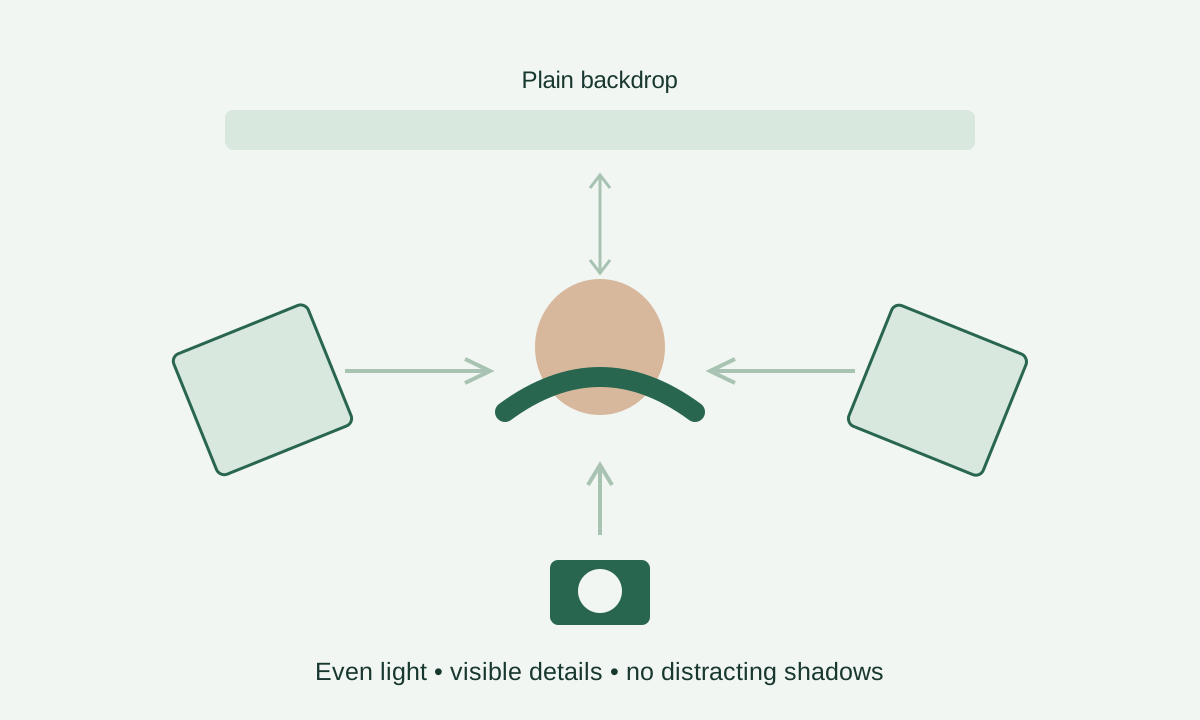
Keep the camera steady and inspect actual-size detail
Place the camera at a useful height for the face, and ask someone else to take the picture if a close shot distorts the nose or forehead. Leave space around the hair and shoulders. This preserves cropping options rather than prescribing an official camera distance.
Take several shots during the session and choose the clearest. Inspect the eyes at actual size to see whether movement has erased their boundaries. Small previews can hide missing detail; skin smoothing does not fix camera movement.
Government reference: Official photo FAQs
Look for facial detail rather than maximum brightness
Inspect the cheeks, eye area, nose, and chin. Is a bright patch missing its detail? Is one side too dark to see the features clearly? Adjust the lighting during capture rather than relying on a later brightness adjustment.
As a practical starting point, try soft, balanced light and examine its effect on both the face and background. Strong direct light can cast hard shadows, while mixed light sources may give each side a different tint. The equipment name or flash alone does not determine the result.
Government reference: Official photo requirements
Inspect behind the hair and shoulders
The required background is plain white or off-white. This does not mean every pixel must equal one numerical value, but the area should not become a scene, a pattern, or a distinct colour. Look close to the head, where shadows can hide even when the corners are light.
If a shadow appears behind the head, adjust the person’s position and lighting before retaking. Avoid painting it out or pasting the face onto another background. A crop can exclude an object near a distant edge, but cannot repair the background that must remain beside the face.
Government reference: Official photo requirements
Review the face, expression, and clothing
Face the camera directly with a neutral expression and open eyes. Keep the face visible; cropping cannot repair a turned head or a sideways gaze. Choose everyday clothing and review its outline against the background. Our tool does not prescribe a mandatory clothing colour.
Rules permit head coverings worn daily for a religious purpose with the full face visible and no shadows on it. Do not infer an exception from someone’s appearance. Review the instructions yourself rather than digitally removing a covering or changing the face to improve a report.
Government reference: Official photo requirements · Official photo FAQs
Choose a suitable crop or arrange a retake
Cropping can balance space around the head when the original is wide and clear. Unclear eyes, a turned face, or lighting that loses facial detail need attention to the capture itself. Correct numbers should not distract you from inspecting the actual picture.
Optional AI inspection may draw attention to these concerns, but it can be wrong and does not alter the image. Compare its observations with the original. If essential details remain doubtful, discuss a retake with a photographer instead of repeatedly compressing the file.
Government reference: Official photo requirements
Frequently asked questions
Can I use a slight smile?
DV photo instructions call for a neutral expression. Use a calm portrait instead of assuming an automated inspection will approve a smile. Review the official examples with your photographer if unsure.
Can I wear glasses with clear lenses?
DV entry instructions say not to wear eyeglasses. The general visa photo page describes a rare documented medical exception; do not automatically assume it applies to DV entry. Consult the instructions for your application and the official authority rather than digitally removing glasses.
Is a hearing aid treated like music headphones?
The official photo page permits a hearing device normally worn, while excluding headphones and similar communication devices. Visual inspection may confuse device types. Check the observation against the instructions instead of treating AI as the decision maker.
How should I review a young child’s picture?
The child should be alone in the frame, with no visible supporting hand or person. Review facial clarity, eyes, and background. Do not transfer passport photo exceptions to a DV photo; follow the instructions for the intended application.